The 2014 Corvette Stingray Forum
News / Blog Register Community Calendar Today's Posts Search

Go Back   Chevrolet Corvette Stingray C7 Forum > Members Area > Off-topic Discussions

Reply
 
Thread Tools
Old 06-12-2011, 02:11 PM   #295
CatiaJockey


CatiaJockey's Avatar
 
Drives: 2010 2LT RS
Join Date: Mar 2008
Location: Ocean Springs, Ms
Posts: 2,799
__________________
CatiaJockey is offline   Reply With Quote
Old 06-12-2011, 03:03 PM   #296
Sir Nuke
Master of All Things
 
Sir Nuke's Avatar
 
Drives: '26 Corvette Stingray
Join Date: Jul 2009
Location: Southeast of Houston, Texas
Posts: 22,685
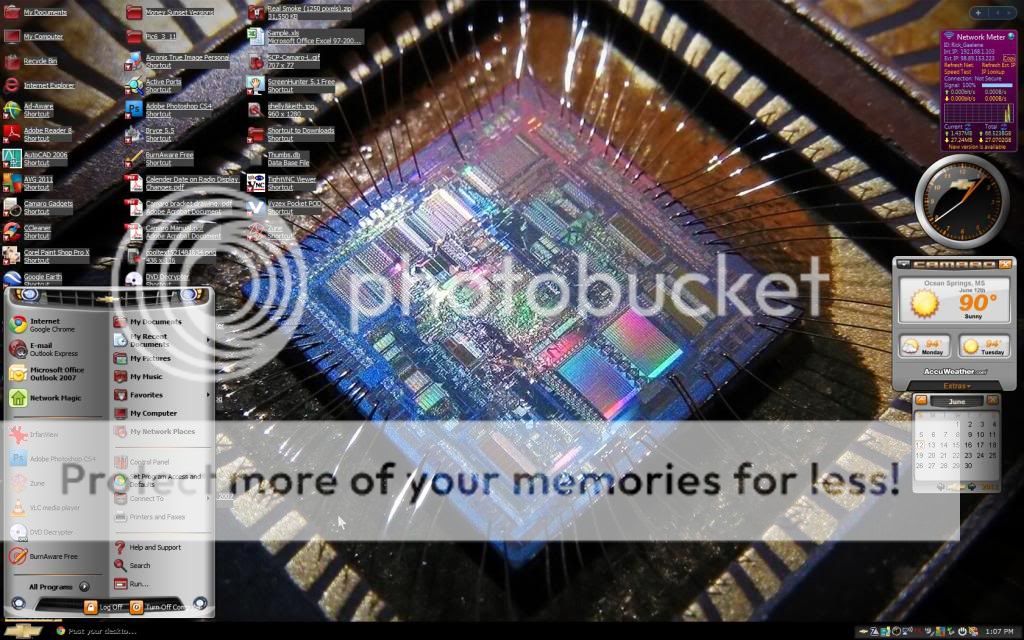
Name:  my desktop.jpg
Views: 332
Size:  147.5 KB
__________________
Sir Nuke is offline   Reply With Quote
Old 06-12-2011, 04:37 PM   #297
5thGenOwner

 
5thGenOwner's Avatar
 
Drives: 2010 SS
Join Date: Nov 2009
Location: So Cal
Posts: 2,197
Sir Nuke, you'll like this.

My background on all my devices...

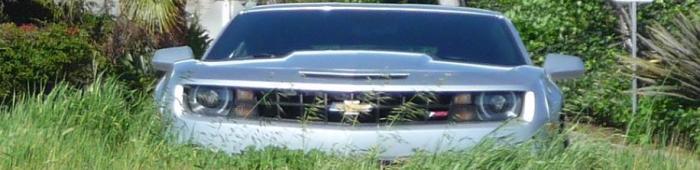
Name:  desktop.jpg
Views: 486
Size:  58.6 KB
__________________
5thGenOwner is offline   Reply With Quote
Old 06-12-2011, 04:58 PM   #298
Steve Dallas
Commits weekly crime
 
Steve Dallas's Avatar
 
Drives: 2017 Camaro 1LT
Join Date: Nov 2009
Location: Camano Island, WA
Posts: 9,513
Mine....

__________________
2017 Camaro 1LT - Blue Barchetta IV
I fire up the willing engine, responding with a roar. Tires spitting gravel I commit my weekly crime.
Steve Dallas is offline   Reply With Quote
Old 06-12-2011, 05:25 PM   #299
4g63t
 
Drives: 1990 rs 3.1 v6
Join Date: Jun 2011
Location: ct
Posts: 135
ill post the picture since i have no way of doing a screen shot

i got these two together

[url=http://www.flickr.com/photos/50529416@N08/5641859817/]

[url=http://www.flickr.com/photos/50529416@N08/5641859705/]
4g63t is offline   Reply With Quote
Old 06-12-2011, 05:36 PM   #300
Sir Nuke
Master of All Things
 
Sir Nuke's Avatar
 
Drives: '26 Corvette Stingray
Join Date: Jul 2009
Location: Southeast of Houston, Texas
Posts: 22,685
Quote:
Originally Posted by 5thGenOwner View Post
Sir Nuke, you'll like this.

My background on all my devices...

Attachment 251792
cool and yes I like.....in fact I have that image....I have a bunch of images like that for things.
__________________
Sir Nuke is offline   Reply With Quote
Old 06-12-2011, 05:48 PM   #301
Sir Nuke
Master of All Things
 
Sir Nuke's Avatar
 
Drives: '26 Corvette Stingray
Join Date: Jul 2009
Location: Southeast of Houston, Texas
Posts: 22,685
Quote:
Originally Posted by 4g63t View Post
ill post the picture since i have no way of doing a screen shot
SURE YOU DO......that is if you're using a computer with windows OS....


to take a screen shot of your desktop.....

1. first move your cursor to the right side of the screen so you can't see it anymore.
2. then find the "PRT SC" key on your computer....on a laptop its on the top row above the "backspace" key, on a desktop with as QWERTY keyboard, its above the arrow keys on the top row, 3rd key from the end on the right side.
3. Press it.....in reality it like a COPY key, adn will copy the image of yopur desktop onto your clip board.
4. Open up "PAINT"
4. do a "PASTE"
5. and you will have the image, all you need to do is a SAVE AS, name the file and select the file format you want to save it in. (BMP. JPG...etc.).
__________________
Sir Nuke is offline   Reply With Quote
Old 06-12-2011, 05:58 PM   #302
4g63t
 
Drives: 1990 rs 3.1 v6
Join Date: Jun 2011
Location: ct
Posts: 135
Quote:
Originally Posted by Sir Nuke View Post
SURE YOU DO......that is if you're using a computer with windows OS....


to take a screen shot of your desktop.....

1. first move your cursor to the right side of the screen so you can't see it anymore.
2. then find the "PRT SC" key on your computer....on a laptop its on the top row above the "backspace" key, on a desktop with as QWERTY keyboard, its above the arrow keys on the top row, 3rd key from the end on the right side.
3. Press it.....in reality it like a COPY key, adn will copy the image of yopur desktop onto your clip board.
4. Open up "PAINT"
4. do a "PASTE"
5. and you will have the image, all you need to do is a SAVE AS, name the file and select the file format you want to save it in. (BMP. JPG...etc.).
thats good to know i thought you would need a webcam or something to do a screen shot with that said ill post up my new one
4g63t is offline   Reply With Quote
Old 06-12-2011, 06:01 PM   #303
4g63t
 
Drives: 1990 rs 3.1 v6
Join Date: Jun 2011
Location: ct
Posts: 135
ok so know how do i get the file from my comp to here with out uploading it to another site?

Last edited by 4g63t; 06-12-2011 at 06:25 PM.
4g63t is offline   Reply With Quote
Old 06-12-2011, 06:24 PM   #304
Inuyashas_Brother
 
Inuyashas_Brother's Avatar
 
Drives: '10 Camaro LS - M6
Join Date: Mar 2010
Location: Arlington, VA
Posts: 550
Kira!
Attached Images
 
__________________
Inuyashas_Brother is offline   Reply With Quote
Old 06-12-2011, 06:27 PM   #305
terry_b

 
terry_b's Avatar
 
Drives: 2014 2SS/RS 1LE
Join Date: Apr 2010
Location: Hudson, MA
Posts: 1,390
Send a message via MSN to terry_b
__________________
terry_b is offline   Reply With Quote
Old 06-12-2011, 10:13 PM   #306
zebra
just can't seem to leave
 
zebra's Avatar
 
Drives: your mom wild!!
Join Date: Oct 2008
Location: cold & windy
Posts: 10,625
wow... ain't seen this thread in forever!
zebra is offline   Reply With Quote
Old 06-12-2011, 10:24 PM   #307
Sir Nuke
Master of All Things
 
Sir Nuke's Avatar
 
Drives: '26 Corvette Stingray
Join Date: Jul 2009
Location: Southeast of Houston, Texas
Posts: 22,685
Quote:
Originally Posted by 4g63t View Post
ok so know how do i get the file from my comp to here with out uploading it to another site?
go to the "POST BOX" at the bottom. below it, there are two buttons...onje is "POST QUICK REPLY" the other is "GO ADVANCED" , click on "GO ADVANCED". its openes all the smailes and other options available. ONE is how you post up pictures by uploading them here. On the top row of the tool bar is an icon that looks like a paperclip. click on it, and it opens up the attachments manager. once its opened, use the brouse button to locate your image file.....once you find it, highlight it, and hit OPEN. It brings you back to the manager box, you will see you file listed....hit the UPLOAD button. woce its down uploading. hit the "close this window" link at the top....then you will be back at the psot box....look next to the paperclip icon and there is a little down arrow, click on it and you will see your file name, click on it and it will insert your image in the post.....hit the "SUBMIT REPLY" at the bottom of the box and your done.
__________________
Sir Nuke is offline   Reply With Quote
Old 06-13-2011, 12:30 AM   #308
Big Brunsy

 
Drives: 2010 supercharged LS3
Join Date: Jan 2010
Location: Le Mars, Iowa
Posts: 2,235
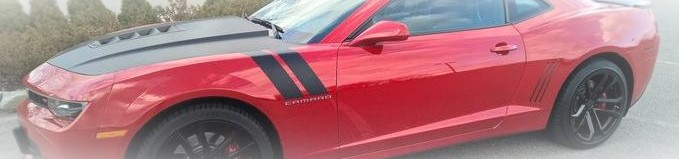
Name:  dtop.JPG
Views: 408
Size:  97.4 KB
Big Brunsy is offline   Reply With Quote
Reply


Posting Rules
You may not post new threads
You may not post replies
You may not post attachments
You may not edit your posts

BB code is On
Smilies are On
[IMG] code is On
HTML code is Off

Forum Jump


All times are GMT -5. The time now is 03:51 PM.


Powered by vBulletin® Version 3.8.9 Beta 4
Copyright ©2000 - 2025, vBulletin Solutions, Inc.